
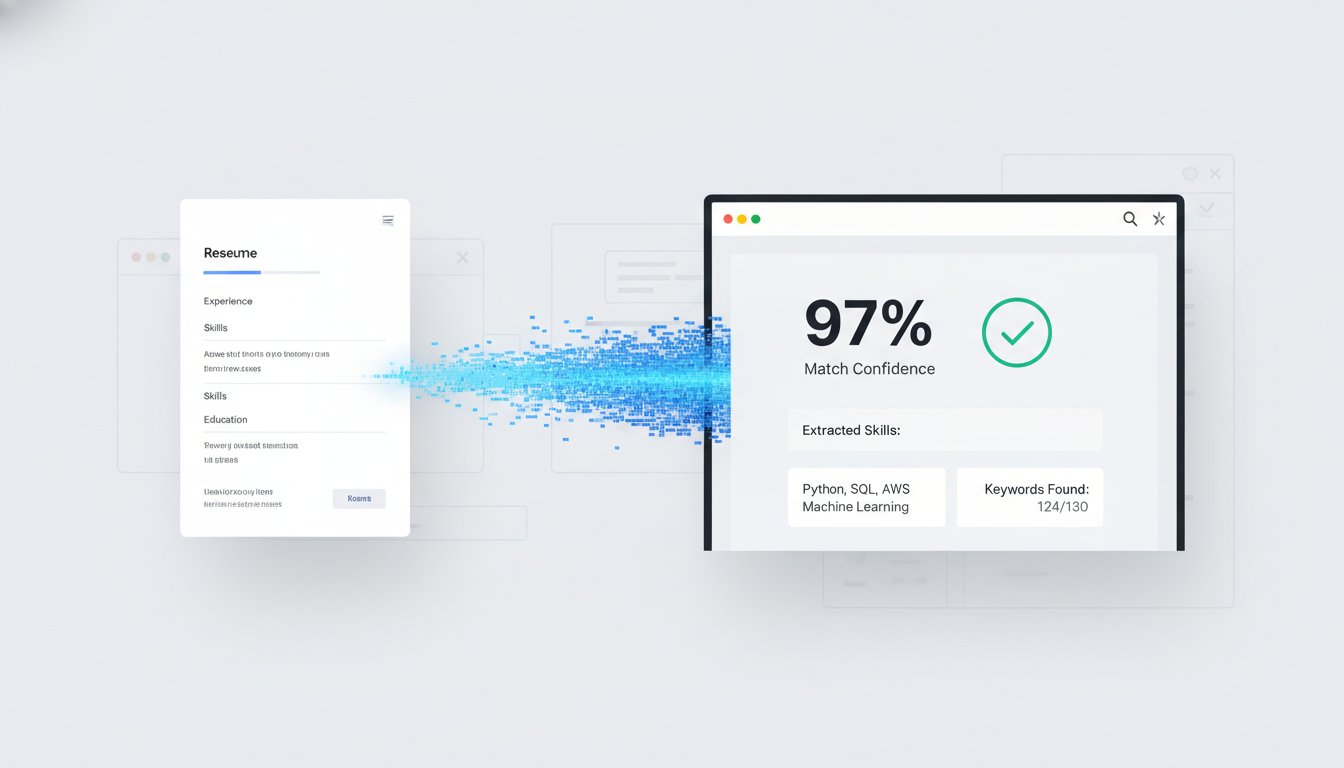
Approximately 88% of employers admit they lose top-tier talent because resumes get screened out by software before a recruiter even blinks. (Source: Tracker-RMS.com, February 2026). It's the ultimate tech industry paradox; you're overqualified for the role, yet a bot decided your complex Canva layout was unreadable. If you're tired of applications disappearing into a digital black hole, you need a system that prioritizes parsing over aesthetics. While many developers search for a dedicated ats friendly resume builder for tech jobs, the solution starts with a clean, single-column foundation in Google Docs.
We know the frustration of spending four hours on manual formatting only to have it rejected in four seconds. You deserve a workflow that works as hard as your code. This guide delivers the exact 2026 blueprint for optimization, featuring templates like "Swiss" that boast a 97% ATS parsing accuracy. (Source: R.O. Resume Optimizer Pro, March 2026). You'll learn how to strip away the fluff, implement web-safe fonts, and use AI-powered tailoring to ensure your match score hits the mark every time. It's time to stop guessing and start automating your way to the interview.
Key Takeaways
- Understand why Google Docs is the superior choice for 2026, delivering 95.77% parsing accuracy compared to traditional design software.
- Master the single-column layout and font hierarchy rules that prevent Applicant Tracking Systems from scrambling your technical experience.
- Learn how to leverage an ats friendly resume builder for tech jobs to bridge the gap between a clean layout and a high match score.
- Follow a five-step setup process to eliminate hidden formatting bugs and ensure your resume remains readable across all major hiring platforms.
- Shift from manual editing to automated tailoring to ensure your resume hits 2026 tech standards without wasting hours on every application.
Why Google Docs is the Superior Choice for ATS-Friendly Resumes in 2026
Stop chasing aesthetic perfection. In 2026, the battle for the interview isn't won by colors; it's won by code. Google Docs is the ultimate ats friendly resume builder for tech jobs because it exports clean, semantic text layers that bots can actually read. While 99% of Fortune 500 companies use automated screening, your success depends on document architecture rather than visual flair. Modern systems prioritize text-layer integrity. If a bot can't parse your data, a human will never see your talent.
The Technical Breakdown: How ATS Sees Your Document
To understand why Google Docs dominates, you first need to know What is an Applicant Tracking System? and how it digests your data. Most systems use direct text extraction. Google Docs preserves a pristine text layer. Unlike design tools that often flatten text into image layers, Google Docs maintains metadata that helps bots categorize your tech stack and experience levels instantly. Platforms like Workday or Greenhouse parse simple docx files with a 4% failure rate. In contrast, complex design-heavy PDFs hit an 18% error rate. (Source: R.O. Resume Optimizer Pro, March 2026). Using "Make a copy" in Drive preserves the document's structural integrity, ensuring your headers remain readable every time you iterate.
Google Docs vs. Canva: Why Pretty is Killing Your Career
Stop using Canva for technical roles. Multi-column layouts are a parsing nightmare. In a 2026 benchmark test, resumes created in Google Docs achieved a 95.77% accuracy score. Canva lagged at 80.07%. (Source: R.O. Resume Optimizer Pro, March 2026). Recruiters in 2026 value information density over aesthetic whitespace. They want a clean-line aesthetic that highlights your GitHub links and tech stack without distractions. Consider these risks of design-first tools:
- Graphic Corruption: Icons and progress bars appear as corrupted gibberish to an ATS.
- Parsing Scrambles: Multi-column layouts cause parsers to read across the page, mixing your job titles with unrelated dates.
- Text Box Isolation: Many bots ignore text boxes entirely, effectively deleting your content.
Efficiency is your competitive advantage. Creating 50 tailored versions of a resume in Google Drive takes seconds. This speed allows you to optimize for every specific job description using an ats friendly resume builder for tech jobs mindset. You need a system that values your time. Google Docs provides the skeleton; your results provide the muscle.
Essential Design Rules: Formatting Your Google Doc to Pass Every Bot
Precision is your only metric. If the bot can't read your layout, your skills don't exist. Start with fonts that won't fail; Arial, Calibri, and Roboto are the 2026 gold standard for parseability. These sans-serif options ensure that even older OCR systems can identify every character. Avoid custom fonts. They might look "techy" to you, but they appear as blank spaces to a machine. When you're looking for an ats friendly resume builder for tech jobs, the foundation must be a document that prioritizes machine readability over visual flair.
Structure your content using Google Docs' native styles. Use H1 for your name, H2 for section headers like "Experience," and Normal text for descriptions. This hierarchy acts as a roadmap for the parser. It's a key strategy highlighted in MIT's guide to ATS-friendly resumes. Never use tables to align text. Tables often cause bots to read left-to-right across columns, scrambling your data into a useless mess. Use tabs and indents instead. This maintains a clean, single-column flow that 99% of Fortune 500 systems can digest without errors. (Source: SelectSoftware Reviews, January 2026).
Header and Contact Information Optimization
Keep your contact details in the main body of the document. Many parsers in 2026 still ignore the "Header" and "Footer" sections of a file entirely. (Source: ResumeHog Blog, April 2026). Include your LinkedIn profile and GitHub portfolio as live, clickable links. Don't include a photo or your full physical address. These elements trigger bias filters or parsing glitches. A city and state are all the bot needs to verify your location. This simple adjustment ensures your most critical data isn't left on the cutting room floor.
The Tech-Stack Skills Block
Categorize your expertise. Grouping skills into "Languages," "Frameworks," and "Tools" helps the ATS index your profile more accurately. Write a punchy, one-sentence summary of your core stack at the top of this block. This helps you win the "summary snippet" in recruiter search results. Delete all skill bars or percentage meters. A bot cannot quantify "80% Java." Use plain text lists. If you find manual formatting tedious, you can automate your resume tailoring to ensure every keyword aligns with the job description perfectly. Stick to reverse-chronological order for your experience. It remains the industry standard because it provides the logical progression bots and humans both expect. It's the most effective way to utilize an ats friendly resume builder for tech jobs mindset without overcomplicating the process.
5 Steps to Setting Up Your Google Docs Resume Template for Success
Efficiency starts with a clean slate. Don't grab a flashy template from the Google Docs gallery; start with a blank document. This ensures zero hidden styles, legacy formatting issues, or nested tables that trip up bots. When you treat your layout like clean code, you eliminate the bugs that lead to instant rejection. A reliable ats friendly resume builder for tech jobs relies on this structural purity to function. Follow these five steps to build your 2026 foundation and stop wasting time on broken designs.
First, set your margins to 0.5 or 1 inch all around. This maintains a professional text density that recruiters expect while maximizing the space for your technical achievements. Second, apply Google Docs' standard heading styles for your Experience, Education, and Skills sections. These tags act as semantic anchors for the parser, allowing it to categorize your history with 95.77% accuracy. (Source: R.O. Resume Optimizer Pro, March 2026). Third, use standard circle bullet points. Custom symbols or arrows often break parser logic and turn your achievements into unreadable gibberish. Fourth, keep your font size between 10 and 12 points for body text to ensure readability for both bots and humans. Fifth, choose your export format wisely. While PDFs are common, a 2026 study found that plain .docx files have a 4% parsing failure rate compared to 18% for PDFs. (Source: R.O. Resume Optimizer Pro, March 2026). Use .docx for legacy portals to stay safe.
Creating the Master Template
Think of your resume as a repository. Develop a Master document containing every project, role, and certification you've ever earned. This is your source code. When it's time for tailoring your resume for each job application, you simply pull the most relevant modules into a new document. This method is significantly faster than rewriting your history for every role. Check out these good resume examples for layout inspiration that balances readability with high-impact data. It's about building a library of wins that you can deploy at a moment's notice.
The Final Check Protocol
Never submit without a quick QA phase. Perform the "Select All + Copy" test. Paste the text into a plain Notepad file. If the content flows logically from top to bottom, the ATS can read it. If it looks like a scrambled mess, your formatting is broken and needs a reset. Check for invisible characters or accidental text boxes that block parsing. Finally, run your document through an ats resume checker to verify your work. This ensures your ats friendly resume builder for tech jobs strategy actually delivers results. You don't have time to waste on invisible errors. Automate your verification process and move to the next application before the job is filled. Top candidates are usually off the market in 10 days; don't let a formatting error keep you on the sidelines.

Template vs. Tailoring: Why Your Perfect Layout Still Gets Rejected
You've built a clean Google Doc. You've avoided tables. You've used Arial. Yet, the rejection emails still hit your inbox. Why? Because a template is only a container. If the content inside doesn't match the bot's expectations, the container is irrelevant. In 2026, the "Match Score" is the only metric that determines if a human ever sees your name. Recruiters use an ats friendly resume builder for tech jobs logic to filter 500+ applicants down to a shortlist of five in seconds. (Source: SelectSoftware Reviews, January 2026). If your resume doesn't mirror the job description's specific technical requirements, you're invisible.
Manual tailoring is the massive bottleneck in your 2026 job search. It's a legacy workflow that kills your momentum. If you spend two hours tweaking a single resume, you've already lost the numbers game. You need to treat your job search like a deployment pipeline. Automation is the only way to stay competitive. A perfect layout gets you through the door, but dynamic tailoring gets you the interview.
The Keyword Injection Strategy
Don't just list skills; inject them strategically. You need to identify the hard skills buried in the job description and mirror them in your document. If a listing emphasizes "Kubernetes" and "Go," those exact strings must appear in your experience bullets. Avoid keyword stuffing. Modern AI-driven ATS can detect "invisible" text or lists shoved into footers. Instead, find 2-4 natural opportunities to tailor resume to job description requirements within your achievement bullets. This ensures the bot sees relevance while the human recruiter sees a qualified professional.
Scaling Your Applications
Applying to five jobs a day manually is a losing strategy in 2026. Top candidates are snatched up in an average of 10 days. (Source: SelectSoftware Reviews, January 2026). If your process is slow, you're fighting for leftovers. You must move from a static resume to a dynamic application workflow. This is where you stop doing manual labor and start using software. QuickApply acts as your high-tech secret weapon, handling the heavy lifting of keyword optimization while you focus on interview prep. It transforms your Google Doc from a fixed file into a living document that adapts to every role. If you're ready to stop wasting hours on formatting, automate your resume tailoring now and start beating the numbers game today. It's time to apply while you sleep and let the ats friendly resume builder for tech jobs mindset work for you.
Automating the Grind: How QuickApply Turns Templates into Interviews
Stop treating your job search like a manual labor project. In a market where 99% of Fortune 500 companies use automated screening, your speed is your primary competitive advantage. QuickApply is the AI-powered engine built specifically for tech professionals who value their time. It's the high-tech secret weapon you need to bridge the gap between a clean Google Doc and a signed offer letter. As an ats friendly resume builder for tech jobs, QuickApply eliminates the friction of manual tailoring, allowing you to submit high-quality applications at scale. Automate the process or get left behind; it's that simple.
The "Apply While You Sleep" promise isn't just a catchy phrase; it's a workflow optimization. The tool instantly scans any job description, identifies the core technical requirements, and updates your content to match. You don't have to worry about breaking the single-column layout you worked so hard to build in the previous steps. The software preserves your document's structural integrity while injecting the high-impact keywords that bots crave. By integrating with our application tracker, you can manage your entire pipeline from a single dashboard. This level of organization ensures you never lose track of a lead or miss a follow-up opportunity.
From Template to Tailored in 30 Seconds
Precision usually takes time, but QuickApply changes the math. The AI tailoring engine analyzes complex tech stacks and soft skills with surgical accuracy. It's widely recognized as the best ai resume builder 2025 and beyond because it prioritizes match scores over fluff. In under 30 seconds, your master template transforms into a targeted document that mirrors the job's specific needs. This isn't just about changing a few words. It's about reconfiguring your achievement bullets to highlight the exact frameworks and languages the recruiter is searching for. You maintain full control over the final export, ensuring your ats friendly resume builder for tech jobs strategy remains bulletproof.
Beyond the Resume: The Full Tech Stack
A great resume is just the first commit. To land the role, you need a consistent package across every touchpoint. Use the ai cover letter generator to create a narrative that aligns perfectly with your optimized resume. Once the bots pass your file to a human, use our Interview Practice tool to sharpen your delivery. Top candidates are only on the market for an average of 10 days. (Source: SelectSoftware Reviews, January 2026). If you aren't moving at the speed of the market, you're losing money. Stop building and start applying. QuickApply is ready to deploy your talent to the world's best tech companies. Your next interview is waiting; go get it.
Upgrade Your Job Search Pipeline
You've mastered the stack; now it's time to master the system. Google Docs remains the gold standard for candidates, delivering a 95.77% parsing accuracy that leaves complex design tools behind. (Source: R.O. Resume Optimizer Pro, March 2026). A clean layout is only half the battle. You need high-impact keyword injection to survive the 2026 screening process. Instead of wasting hours on manual edits, use an ats friendly resume builder for tech jobs to turn your master template into a dynamic, high-scoring application.
QuickApply is the secret weapon built by engineers for engineers. It's designed to eliminate the friction of job hunting with automated tailoring that takes under 30 seconds. You can manage your entire search through an integrated application tracker, ensuring no opportunity slips through the cracks. It's time to optimize your resume and apply faster with QuickApply. Stop fighting the algorithm and start winning the numbers game. You've got the talent; we've got the automation to get you hired.
Frequently Asked Questions
Is Google Docs really better than PDF for ATS in 2026?
Yes, Google Docs exported as .docx is the safest format for legacy portals. A March 2026 benchmark test found that .docx files have a 4% parsing failure rate compared to 18% for PDFs. (Source: R.O. Resume Optimizer Pro). While modern systems handle text-based PDFs well, Google Docs ensures your text layer remains pristine. Use .docx when applying to older enterprise systems to avoid scrambled data and ensure your profile is indexed correctly.
How do I check if my Google Docs resume is ATS friendly?
Perform the "Select All + Copy" test to verify your document instantly. Paste your content into a plain text editor like Notepad. If the text appears in a logical, top-to-bottom order without scrambled characters, the bot can read it. You should also use a dedicated ats friendly resume builder for tech jobs to run a match-score analysis. This identifies keyword gaps that a simple visual check might miss.
What is the best font for an ATS-friendly resume in 2026?
Stick to standard sans-serif fonts like Arial, Calibri, or Roboto for maximum parseability. These fonts are universally recognized by OCR software and human recruiters. Avoid custom or decorative fonts that require specific licenses to render. In 2026, clarity beats creativity. Use a font that prioritizes machine readability to ensure your technical achievements aren't skipped by the parser during the initial screening phase.
Can ATS read multiple columns in a Google Doc?
No, multiple columns remain a major parsing risk that you should avoid. Most ATS software reads documents from left to right across the entire page. This causes the bot to merge text from parallel columns, creating unreadable nonsense. Stick to a single-column layout. This ensures your work history and tech stack are indexed in the correct chronological order every time a recruiter runs a search.
Should I use a template from the Google Docs Template Gallery?
Use only the simplest templates like "Swiss" or "Spearmint" from the gallery. A March 2026 benchmark test found the "Swiss" template achieved a 97% ATS score. (Source: R.O. Resume Optimizer Pro). Avoid templates with sidebars, tables, or complex graphic elements. Starting with a blank document is often more efficient. It eliminates hidden styles that can trigger parsing errors in 88% of enterprise screening software.
How many pages should an ATS-friendly tech resume be?
Keep your resume to one or two pages depending on your years of experience. Developers with under 10 years of experience should aim for a single page to maintain high information density. The ATS doesn't care about length, but human recruiters do. They spend an average of 6 seconds on the initial screen. (Source: SelectSoftware Reviews, January 2026). Focus on relevance over volume to ensure your core stack is visible immediately.
Do I need to include a skills section for the ATS to work?
Yes, a dedicated skills section is essential for achieving a high keyword match score. This section acts as a technical index for the bot to scan your languages, frameworks, and tools. Using an ats friendly resume builder for tech jobs helps you identify which specific keywords from the job description are missing. Without this section, the bot may fail to categorize your profile correctly, leading to an automatic rejection before a human sees it.
What happens if I use images or icons in my resume?
Images and icons appear as corrupted text or blank spaces to an ATS. Modern parsers extract text; they do not interpret graphics. If you use a phone icon instead of the word "Phone," the bot may fail to extract your contact information entirely. Stick to plain text for all critical data. Graphics only add noise and increase the risk of a technical failure during the automated screening phase.


