
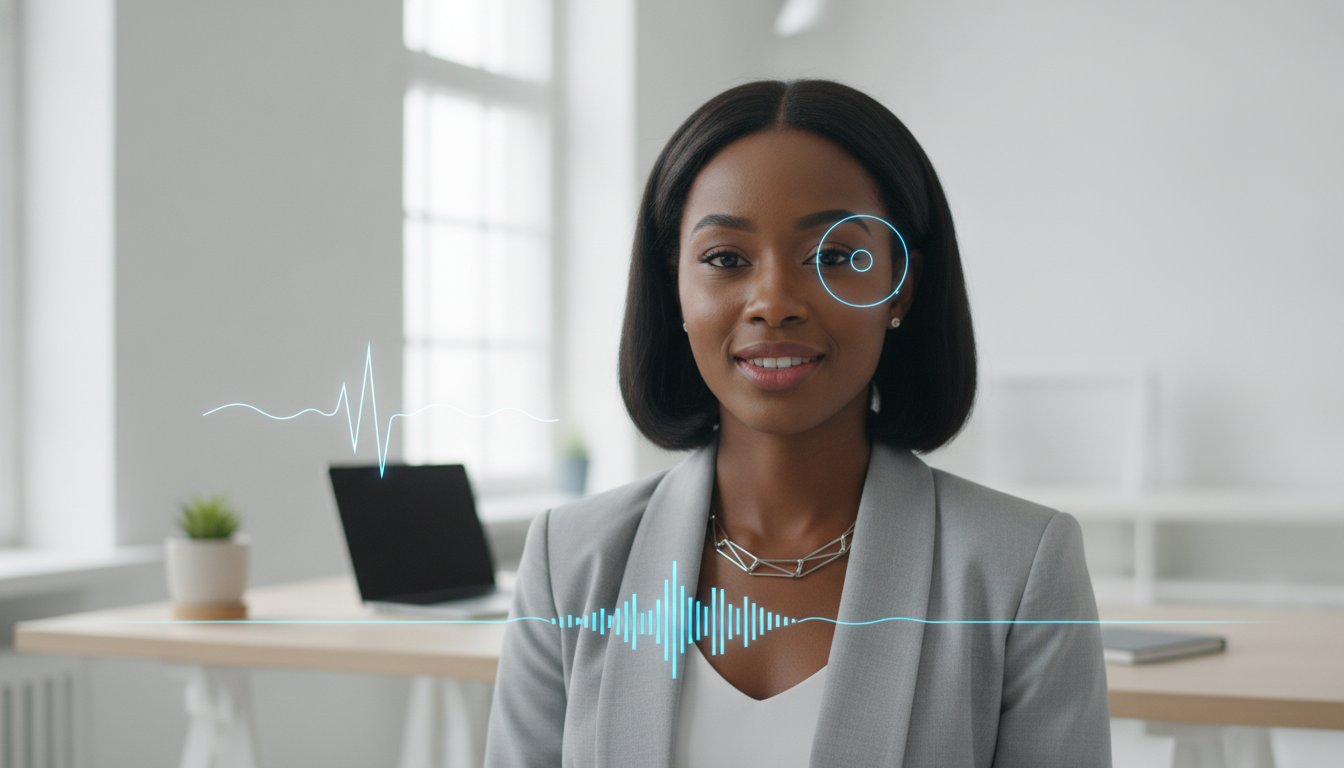
Video confidence is a technical stack you optimize, not a personality trait you're born with. With 71% of professionals now using Zoom, your technical setup is effectively your first resume. Most candidates feel awkward staring at a camera lens instead of a face, and the fear of a tech glitch ruining a first impression is a common stressor. Mastering how to look confident in a video interview requires more than a steady smile; it requires a systematic approach to your virtual presence.
You likely already know that non-verbal cues carry as much weight as your code. We'll show you exactly how to eliminate technical friction and project natural authority. This 2026 optimization guide breaks down the psychological triggers of virtual leadership and the latest AI tools to sharpen your delivery. From mastering the Zoom Workplace 7.1.0 interface to simulating perfect eye contact, you'll gain the competitive edge needed to turn a screen into a seat of power.
Key Takeaways
- Optimize your physical workspace and lighting to eliminate visual fatigue and project immediate digital authority.
- Discover the exact mechanics of how to look confident in a video interview by hacking your eye contact and using expansive gestures.
- Replace static notes with active simulation and AI-driven feedback to sharpen your delivery before the call starts.
- Convert technical friction into a leadership opportunity by deploying a pre-configured emergency kit and maintaining calm under pressure.
- Master the "final three minutes" strategy to synthesize your value proposition and bridge the gap between a great interview and a signed offer.
Optimizing Your Physical Environment for Digital Authority
Authority isn't just about what you say; it's about the visual data you stream. Your environment functions as a silent resume that recruiters scan before you even finish your first sentence. If your background is cluttered or your lighting is dim, you're signaling a lack of professional discipline. Learning how to look confident in a video interview starts with engineering a workspace that projects high-level competence. You must treat your desk like a production studio where every element is optimized for clarity and impact.
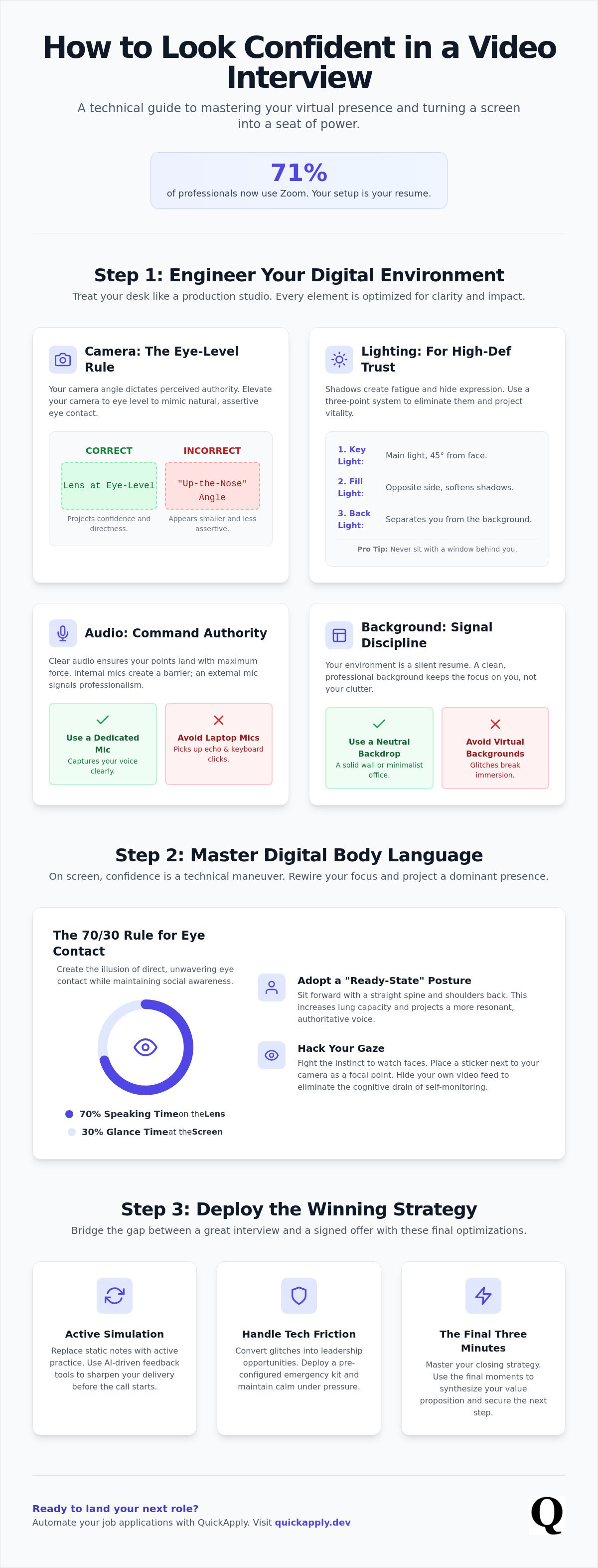
Foundational research on Mastering Digital Body Language shows that environmental cues signal status and reliability. To dominate the digital space, select a neutral, high-contrast background. A solid wall or a minimalist office setup minimizes visual noise, ensuring the recruiter stays focused on your delivery. Avoid virtual backgrounds that flicker or blur your edges. These glitches break the immersion and make you look like a tech novice. Instead, use physical depth to your advantage by sitting a few feet away from your backdrop.
The Eye-Level Rule: Why Camera Height Matters
Stop looking down at your recruiters. Most candidates leave their laptops on their desks, forcing the camera to capture an unflattering "up-the-nose" angle that emphasizes the ceiling. This position makes you appear physically smaller and less assertive. Elevate your camera until the lens is exactly at eye level or slightly above. This 90-degree angle mimics natural, standing eye contact. If you don't have a dedicated stand, use a stack of books to achieve the correct height. This simple hardware adjustment is the fastest way to improve how to look confident in a video interview.
Lighting for High-Definition Trust
Shadows are the enemy of engagement. Poor lighting creates facial fatigue and makes you look tired or unprepared. Deploy a three-point lighting system to ensure professional results. Place your primary key light 45 degrees from your face to provide clear definition. Add a fill light on the opposite side to soften shadows and a back light to separate you from the background. Never sit with a window behind you; this turns you into a silhouette and hides your expressions. Ensure your eyes have a "catchlight," a small reflection of light that projects vitality and active engagement.
Audio is the final pillar of environmental authority. Internal laptop microphones pick up room echo and keyboard clicks, which creates a barrier between you and the interviewer. Invest in a dedicated cardioid microphone. These devices are designed to capture sound directly in front of the lens while ignoring background noise. Clear, resonant audio makes your voice sound deeper and more authoritative, ensuring your points land with maximum force.
Mastering Digital Body Language: The Optics of Professionalism
Body language in a digital-first world is a game of optics. In a physical room, eye contact is intuitive. On a screen, it's a technical maneuver. Most candidates fail because they watch the interviewer's face on the monitor. To the person on the other side, you appear to be looking at their chin or chest. If you want to know how to look confident in a video interview, you must rewire your focus. The lens is your audience. The screen is just a reference point for data.
Implement the 70/30 rule to dominate the interaction. Spend 70% of your speaking time staring directly into the camera lens. This creates the illusion of direct, unwavering eye contact. Use the remaining 30% to glance at the screen and gauge the recruiter’s reactions. This ratio balances authority with social awareness. It ensures you don't look like a robot while maintaining a dominant presence. Your posture must also reflect a "ready-state." Sit forward, keep your spine straight, and pull your shoulders back. This increases your lung capacity and naturally projects a more resonant, authoritative voice.
Virtual Eye Contact: The Lens is Your Audience
Your brain is hardwired to look at faces, but you must fight this instinct. Place a small sticker or a "googly eye" right next to your camera lens to serve as a focal point. This simple hack anchors your gaze and prevents your eyes from wandering. When you deliver your resume summary, speak directly to that sticker. It feels unnatural at first, but it projects high-level engagement to the recruiter. You should also hide your own video feed. Watching yourself is a cognitive drain that leads to self-consciousness. Eliminate the distraction to stay focused on the lens and your message.
Framing and Movement for Tech Leaders
Confidence is often measured by the physical space you occupy. Frame your shot from the chest up. This provides enough room for your hands to be visible within the frame. Hidden hands can subconsciously signal untrustworthiness or anxiety. Use expansive gestures to emphasize key technical points. Because digital platforms often have audio latency, your physical cues must be deliberate. Nod slowly to show you're listening. This provides a visual confirmation of understanding even if the audio lags. These tactics align with standard US professional norms regarding executive presence. If you're still feeling stiff, using dedicated Interview Practice tools can help you analyze your movements and refine how to look confident in a video interview before the high-stakes call.
Simulating High-Stakes Scenarios: Why Static Prep Fails
Static preparation is a trap. Reading bullet points off a second monitor creates a cognitive disconnect. You end up looking like you're scanning data rather than leading a conversation. High-stakes performance requires active simulation to build muscle memory. You don't just "know" your answers; you deploy them. If you want to master how to look confident in a video interview, you must move beyond passive reading. You need to hear your own voice and see your own frame before the recruiter does.
Traditional mock interviews with friends are often low-yield. Peers are subjective and rarely provide the technical feedback required for high-level tech roles. Real optimization comes from data. Use the STAR method (Situation, Task, Action, Result) out loud to ensure your logic flows under pressure. This structure forces a concise narrative that prevents rambling. Rambling is a primary signal of low confidence. By practicing the STAR method on camera, you ensure your delivery is as sharp as your technical expertise.
AI-Powered Mock Interviews
Objective feedback is the fastest path to improvement. Leverage Final Round AI for real-time analysis of your delivery. This tool acts as a digital copilot, providing instant metrics on your speaking pace and topical relevance. You can simulate technical stress by practicing complex coding explanations directly into the lens. Analyze your "Match Score" against the specific job description. If your score is low, you aren't using the right technical lexicon. High-scoring candidates project authority because they speak the language of the system they want to join.
The Feedback Loop: Record, Review, Refine
Record yourself answering common prompts like "Tell me about yourself" at least five times. Watch the playback on mute. This forces you to ignore your words and analyze only your visual data. Identify distracting habits like hair-touching, shifting in your seat, or excessive blinking. These micro-movements signal anxiety to an interviewer. Once you've cleaned up the visual noise, turn the sound back on. Listen for "verbal crutches" like "um," "uh," and "like." These fillers dilute your authority. Eliminating them is a core component of how to look confident in a video interview. A clean, silent pause is always more powerful than a filler word. Use that silence to demonstrate composure and control.
Handling Technical Friction: Confidence Under Pressure
Technical failure is not a disaster; it's a diagnostic test. Recruiters in high-growth tech firms don't just care about your uptime. They care about your recovery time. If your screen freezes or the audio clips, you have a unique window to demonstrate leadership. Most candidates panic, apologize profusely, and lose their momentum. To master how to look confident in a video interview, you must treat technical friction as a routine variable you've already solved for. Maintain a neutral, composed expression even when the software fails. Your face should remain a portrait of calm, signaling that you aren't easily rattled by systemic errors.
Preparation is the only antidote to panic. Build a "Tech Emergency Kit" before the call starts. This includes a secondary internet hotspot and the meeting link pre-loaded on your phone. If your primary connection drops, you shouldn't be searching for a solution. You should be executing a backup plan. This level of tactical readiness ensures that your focus remains on your value proposition, not your hardware. If you haven't stress-tested your setup, use Interview Practice to simulate a high-pressure environment and refine your response to unexpected disruptions.
The "Graceful Glitch" Protocol
Execution matters more than the error. If the connection drops, wait 10 seconds to allow the system to auto-reconnect. If it doesn't, switch to your backup hotspot immediately. Narrate your troubleshooting steps calmly. Say, "It looks like my bandwidth is dipping; switching to my backup now." This transparency eliminates the awkward silence and positions you as a proactive problem solver. Never apologize excessively. A single, brief acknowledgment is sufficient. Solve the problem and return to the topic with the same energy you had before the interruption.
Managing Latency and Overlap
Audio lag is a reality of 2026 digital communication. Talking over an interviewer is a fast way to look aggressive or disorganized. Implement a two-second buffer. Wait two full seconds after the interviewer finishes before you start your response. This ensures you aren't clipping their final words. If the lag is severe, use verbal bridges like "That is a great question" or "I've analyzed that specific challenge." These phrases give the system time to sync while you maintain the floor. If audio clipping obscures a question, ask for clarification immediately. Guessing the question and giving a misaligned answer is a high-risk move that damages your perceived authority. Mastering these micro-adjustments is essential for how to look confident in a video interview when the technology isn't perfect.
Closing the Deal: Turning Confidence into a Career Move
The final three minutes of a call are high-leverage. You've optimized your lighting and mastered how to look confident in a video interview through technical precision. Now, you must synthesize that authority into a closing statement that leaves no doubt about your fit. Don't let your energy dip as the conversation winds down. Recruiters often make their final decision based on the candidate's ability to transition from a technical deep-dive to a strategic summary. Use this time to reinforce your value proposition and bridge the gap between "good candidate" and "essential hire."
Authority is maintained by asking high-level questions. Shift the focus from your qualifications to the company’s future trajectory. Ask about scaling challenges, upcoming product roadmaps, or how the team handles rapid deployment cycles. This signals that you're already thinking like a member of the organization. It demonstrates a long-term mindset that passive candidates rarely project. By the time you reach the end of the call, the interviewer should see you as a peer who understands their specific technical landscape.
The Final Impression
Execution must be flawless until the connection is severed. Maintain your lens-focused eye contact and ready-state posture even during the final pleasantries. End the call with a strong, direct "Thank you" delivered straight to the camera lens. Don't look down at the "Leave Meeting" button while you're still speaking. Smile, deliver your closing, and wait for the "Call Ended" notification before you relax your shoulders or sigh. That final second of footage is the last image the recruiter has of you; make sure it's one of absolute composure. Within two hours of the call, send a personalized follow-up email that references a specific technical challenge discussed. This reinforces your engagement and professional speed.
Automating Your Next Steps
Confidence is a result of organized systems. Once the call is over, immediate data entry is required to maintain momentum. Log the interview details in your Application Tracker to ensure no follow-up task is missed. This high-speed transition from performance to administration is what separates top-tier talent from the crowd. Use this data to refine your next moves. Set specific reminders for secondary interviews and start the process of tailoring your next application with AI precision. Continuous productivity is the goal. By automating the tracking process, you free up cognitive bandwidth to focus on your next high-stakes interaction. Success in 2026 is built on these small, repetitive optimizations. Mastering how to look confident in a video interview is only half the battle; the other half is managing the pipeline with technical discipline.
Engineer Your Virtual Authority
Success in 2026 demands more than just answering questions; it requires a perfectly calibrated digital presence. You now have the technical stack to control your environment, master lens-focused eye contact, and handle glitches with professional composure. True authority is a result of intentional engineering rather than natural charisma. By applying these tactics, you've already solved the most common stressors of the virtual hiring process. Understanding how to look confident in a video interview is about transforming your workspace into a seat of power and your delivery into a high-performance system.
Don't let your preparation stall here. Continuous optimization is the only way to maintain a competitive advantage in a crowded tech market. Master your next interview with QuickApply AI tools to leverage AI-powered interview practice, real-time performance feedback, and automated job application tracking. Move beyond the awkwardness of the lens and start projecting the leadership recruiters are looking for. Your next career move is waiting; go out and claim it.
Frequently Asked Questions
How do I look at the camera and my notes at the same time?
Use digital sticky notes positioned directly beneath your camera lens to minimize eye travel. This setup allows you to scan key data points without breaking the illusion of eye contact. Keep your notes limited to three or four high-level keywords rather than full sentences. This prevents you from falling into a "reading mode" that kills your vocal energy and natural delivery.
What is the best color to wear for a video interview in 2026?
Wear solid, high-contrast jewel tones like navy blue or deep teal to ensure you stand out against your background. Avoid stark white, which can blow out your highlights, or fine patterns that cause digital "moiré" flickering. Your clothing should be a functional component of your visual stack, designed to project authority without distracting the recruiter from your technical insights.
To help curate a professional wardrobe or find unique décor for your workspace, you can visit Uhuru Marketplace for a wide selection of pre-loved items that ensure you look your best on camera.
How do I stop fidgeting during a virtual interview?
Ground your physical presence by placing both feet flat on the floor and resting your hands visibly on your desk. Visible hands signal transparency and reduce the subconscious urge to touch your face or hair. Implementing these grounding techniques is a critical step in how to look confident in a video interview because it stabilizes your frame and eliminates distracting micro-movements.
Should I use a virtual background or a real one?
Prioritize a real, minimalist background to avoid the distracting "halo" effect caused by virtual background software. If your physical space isn't optimized, use a subtle "background blur" instead of a stock image. Real environments suggest professional stability and eliminate the risk of digital artifacts that make you look like a tech novice during high-stakes calls.
How do I handle a pre-recorded interview where there is no human interaction?
Project peak energy by treating the camera lens as a live recruiter, even when no one is watching. Asynchronous interviews lack a feedback loop, so you must use deliberate facial expressions and varied vocal tones to maintain engagement. Record your responses in a quiet, controlled environment to ensure your audio quality remains consistent across every prompted question.
What do I do if my internet cuts out mid-interview?
Transition to your secondary mobile hotspot immediately if your primary connection fails. Speed is the priority; don't waste time troubleshooting a dead router while the clock is ticking. Rejoining the call within 60 seconds with a calm explanation is a powerful way how to look confident in a video interview because it proves you can manage systemic failure with tactical precision.


