

A one-way interview is a recording task, not a live conversation. You answer preset questions on video within a submission timeframe; responses are typically capped at 1 to 3 minutes, and the full interview often takes 10 to 20 minutes. Knowing how to practice for an asynchronous video interview means rehearsing clear answers and checking your camera, sound, and setup before you record.
Speaking to a camera instead of a person can feel awkward, but you can prepare examples, gather your thoughts, and get comfortable with your delivery. This guide explains what a pre-recorded interview involves, how the process works, and how to practice with focused steps, from testing your equipment to reviewing a sample recording. You’ll know what to expect and how to make your answers more confident and natural.
Key Takeaways
- Understand how preset questions, recorded responses, and submission timelines shape a one-way interview.
- Build concise answers around relevant examples instead of trying to memorize a script.
- Use a practice recording to spot distracting habits and improve your delivery before the real interview.
- Test your camera, microphone, lighting, and surroundings so your setup doesn’t compete with your answers.
What is a pre-recorded video interview?
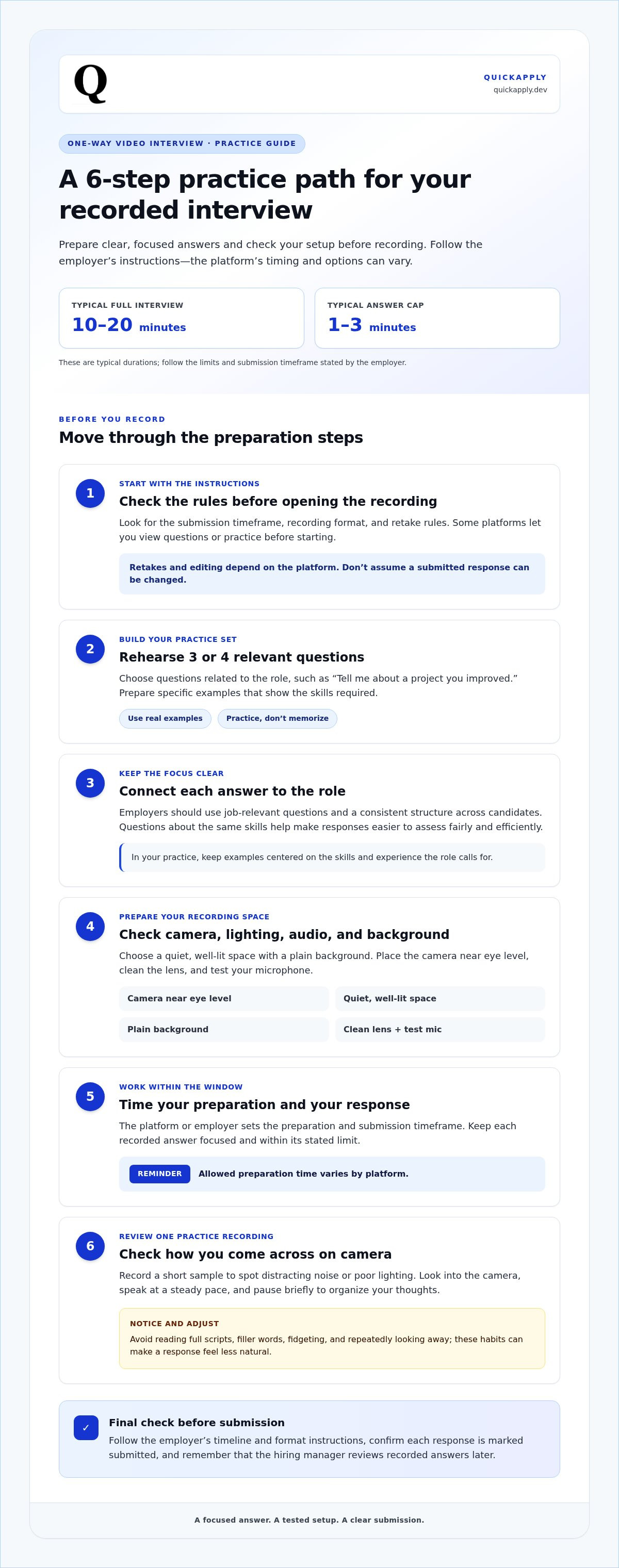
Employers use platforms to present preset interview questions, which candidates answer by recording video responses. A typical one-way interview takes 10 to 20 minutes, with answers usually capped at 1 to 3 minutes.
- Review the instructions before recording. Platforms may let candidates view questions and practice responses before starting. Check the submission timeframe, recording format, and any retake rules in the employer’s instructions.
- Rehearse relevant interview questions. Build a practice set of three or four questions, such as “Tell me about a project you improved.” Use specific examples that show skills required for the role, then practice answering without memorizing a script.
- Use clear, structured questions as a guide. Employers should write job-relevant interview questions and use a consistent structure across candidates. For screening, questions about the same skills make answers easier to assess fairly and efficiently.
- Set up your camera, lighting, audio, and background. Choose a quiet, well-lit space, place the camera near eye level, and use a plain background. Clean the lens, test your microphone, and record a short sample to catch distracting noise or poor lighting.
- Time your preparation and answer. Candidates usually receive a timeframe to record and submit responses. The time to prepare each answer depends on the platform’s process; keep the recorded response focused and within its stated limit.
- Review one practice recording. Look into the camera, speak at a steady pace, and pause briefly to organize your thoughts. Avoid reading full scripts, filler words, fidgeting, and looking away repeatedly; these habits can make a response feel less natural.
Federal Title VII coverage generally applies to employers with 15 or more employees for at least 20 weeks in the current or prior year, according to the U.S. Equal Employment Opportunity Commission. Many state and local jurisdictions maintain their own employer thresholds and guidelines for fair employment practices.
The time allowed varies by platform, so follow the employer’s instructions for the preparation and recording window.
How asynchronous video interviews work
Follow the platform’s instructions in order. To understand how to practice for an asynchronous video interview, map out each step, from receiving the questions to submitting your responses.
-
Understand the Interview Process
Before you start, review the employer’s timeline, format, and evaluation criteria. The platform presents questions for you to record, and the hiring manager reviews your responses later, giving you scheduling flexibility. Keep your answers focused on the role, and wear professional clothing appropriate for an interview, including professional bottoms.
-
Check Retake and Editing Options
Before recording, check the platform’s instructions for retakes and submission. Some one-way interviews allow one retake, but editing options depend on the setup. Don’t assume you can change a response after submitting it. A useful way to practice for an asynchronous video interview is to rehearse concise examples before opening the assessment.
Confirm that each response is marked submitted. Interview response practice can help you refine examples before recording.
QuickApply: Resume Tailoring
QuickApply tailors your resume to a specific job description, helping you highlight experience relevant to the role. Use Resume Tailoring when preparing an application, then practice your interview responses to explain those skills clearly. Cover Letter Generation and the Application Tracker support other steps in your job search.
Visit QuickApply to explore the tools.
Turn Your Preparation Into Momentum
Make each interview a repeatable practice loop. After every application, note which examples felt strong and which skills you want to explain more clearly. Use those observations to improve your next recording instead of starting from scratch. This is a practical way to build how to practice for an asynchronous video interview into a more focused job-search routine.
QuickApply offers Resume Tailoring, Cover Letter Generation, and Interview Practice to support different stages of your application. Choose the tool that fits your next step, whether you’re aligning your experience with a role or rehearsing how to present it.
Explore QuickApply’s job application tools and keep building toward your next opportunity. You’re ready to make your preparation count.
Frequently Asked Questions
How should candidates prepare for a one-way interview?
Start by matching the job description’s priorities with examples from your work, studies, or projects. For a role that emphasizes troubleshooting, prepare a concise example showing how you identified a problem, took action, and reached an outcome. Keep a short outline of key points rather than a script. This gives each response focus while leaving room to speak naturally.
What is an asynchronous interview?
An asynchronous interview lets the interviewer and candidate complete interview steps at different times rather than meeting live. A one-way video interview is one format: you record answers for the hiring team to review later. By contrast, a live video call involves both people at once, responding to each other in real time.
What is asynchronous hiring?
Asynchronous hiring is a recruitment process in which candidates and hiring teams complete tasks on their own schedules rather than coordinating every step live. For example, an employer might review applications while candidates complete an assessment later. This format can reduce scheduling back-and-forth, but clear instructions and updates help candidates understand what to do and what happens next.
What should I wear for an asynchronous video interview?
Wear professional clothing appropriate for an interview, including professional bottoms.


